- From
- Waggle <booking@waggle.vet>
- To
- ana.reyes@gmail.com
- Sent
- Mon, Nov 24, 8:12 AM
Visit #H4K9TW confirmed
Biscuit's visit at Happy Paws Animal Clinic on Nov 25, 9:00 AM is confirmed. Booking code #H4K9TW. Call us at 0917 123 4567.
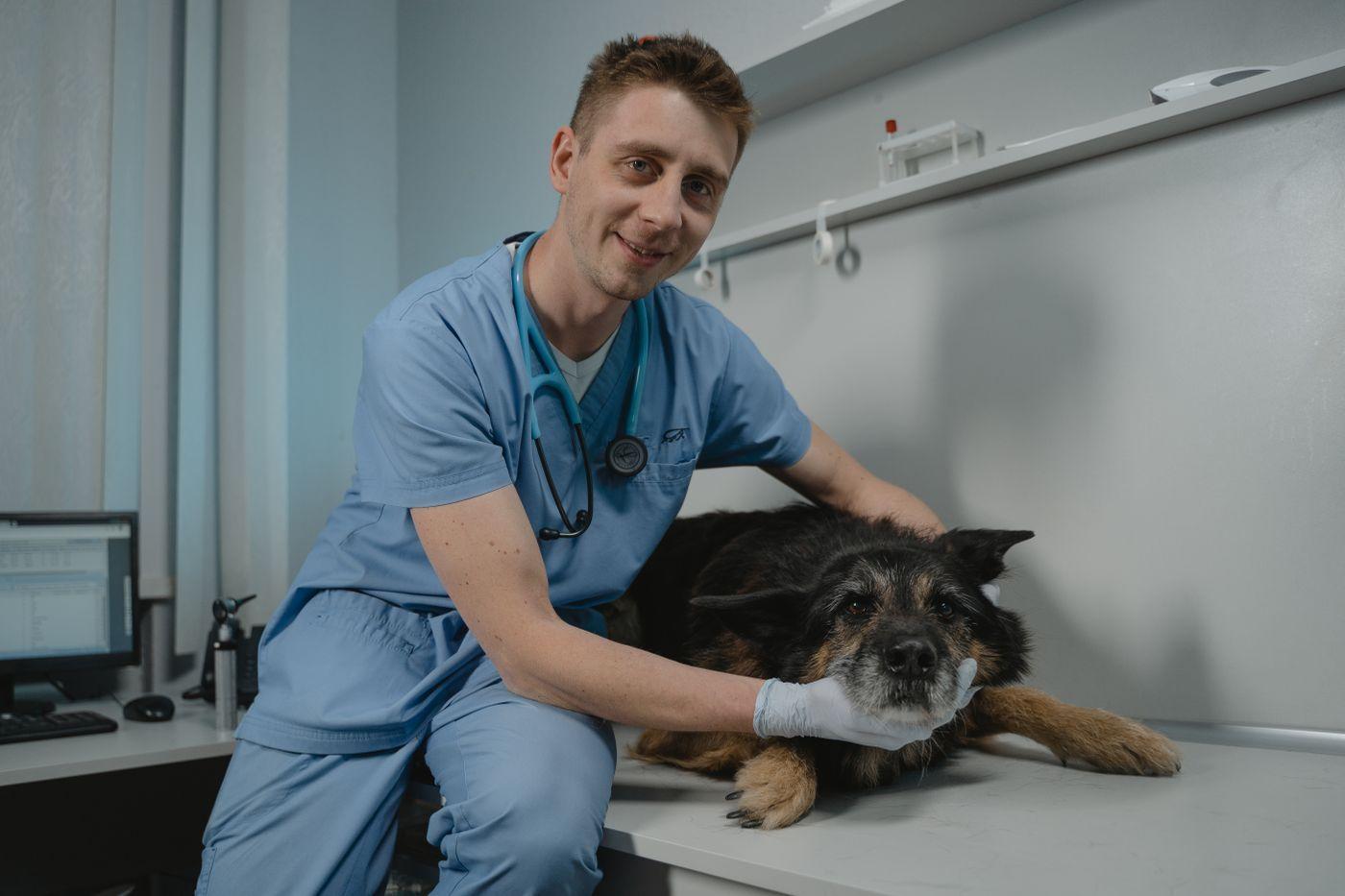
Owners book from your clinic’s link at any hour. Your team confirms in one dashboard, and Waggle emails every owner for you.
Pin it to your Facebook page, your Instagram bio or your website. Owners stop waiting for a Messenger reply.
They choose the service and add their pet, with no account needed. The request lands on your calendar with everything attached.
One click confirms the visit. The owner is emailed their booking code, and reminded the day before.
Visit #H4K9TW confirmed, emailed to Ana
Each one goes to the owner from booking@waggle.vet with your clinic’s name and phone number in it. Nobody at the front desk has to write them.
Biscuit's visit at Happy Paws Animal Clinic on Nov 25, 9:00 AM is confirmed. Booking code #H4K9TW. Call us at 0917 123 4567.
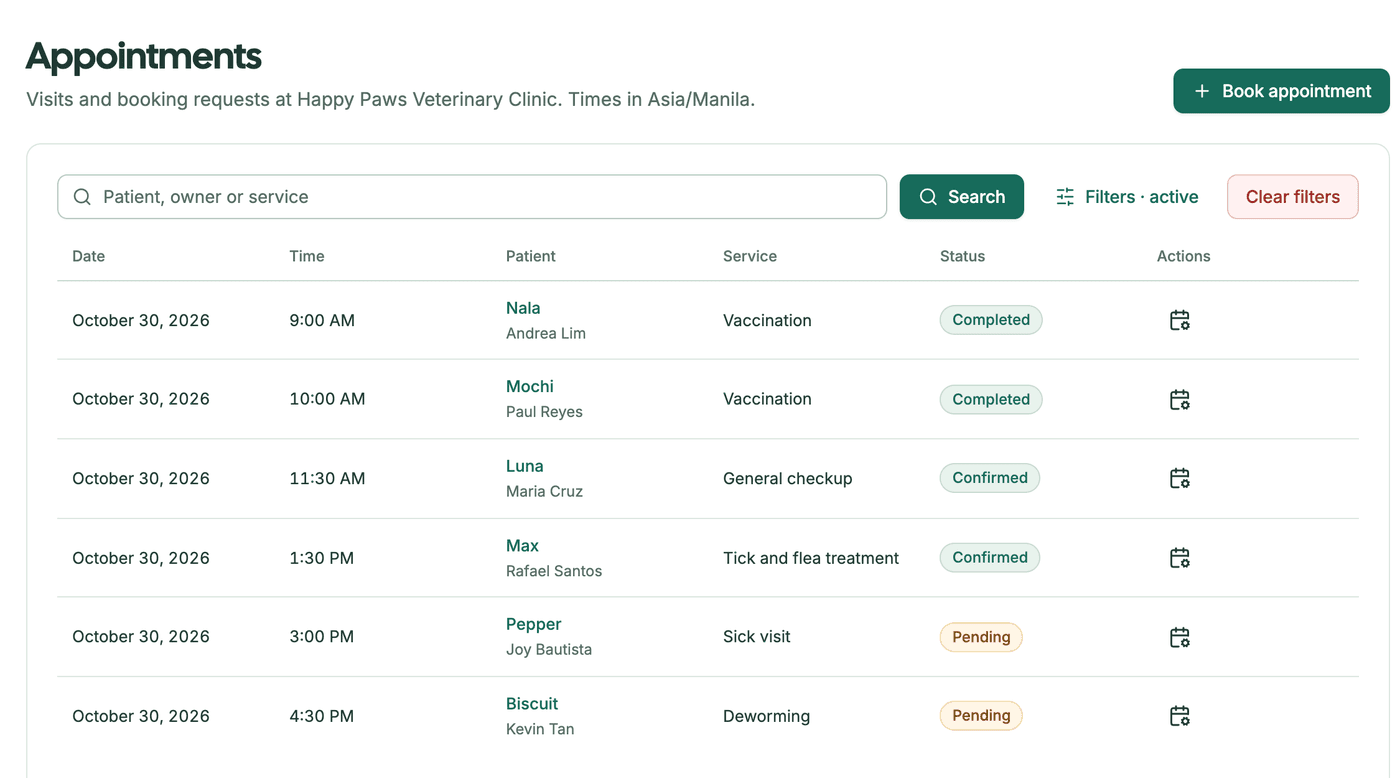
Front desk and vets work from the same calendar. Confirm, move or cancel a visit, and the owner is told by email.
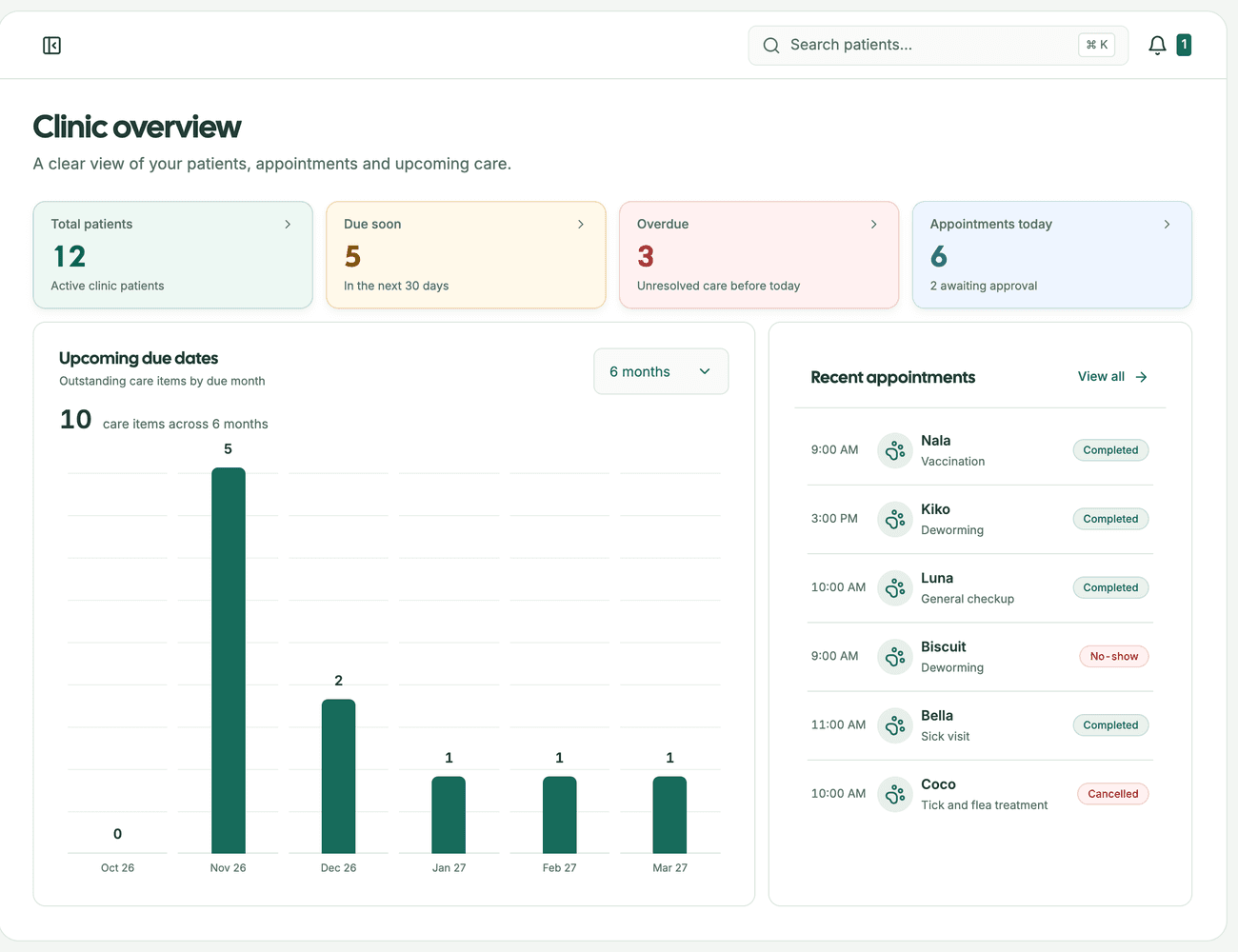
Exams, treatments, files and the next due date live on one patient profile, whoever saw the pet last.
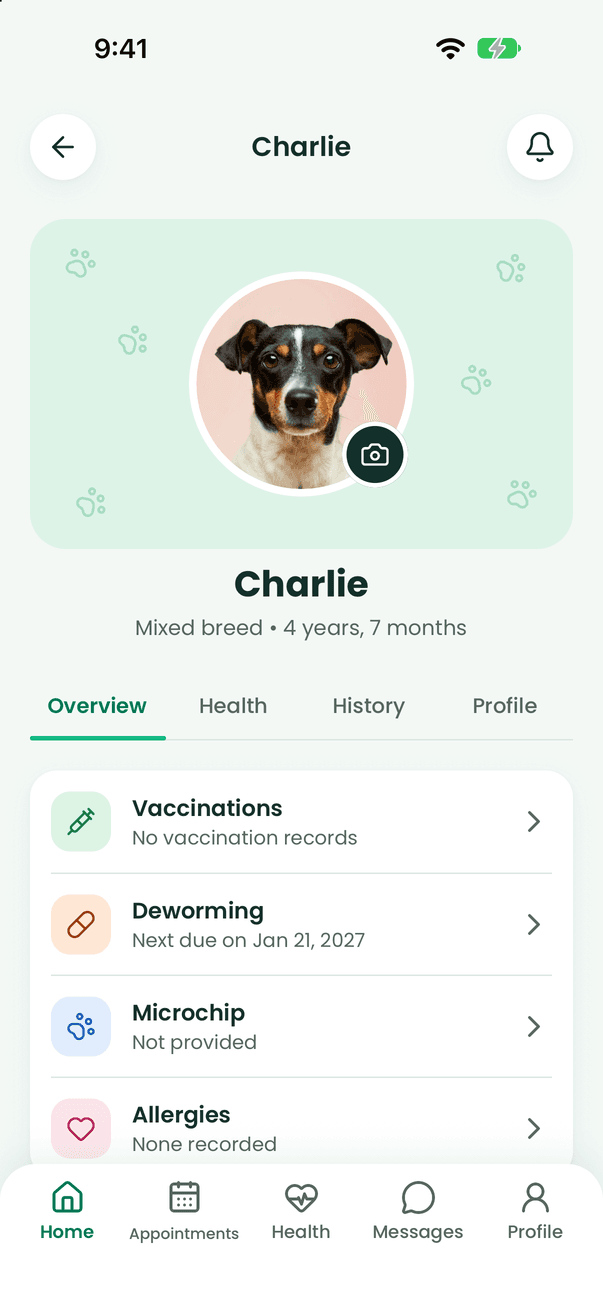
Owners who link up in the Waggle app get your vaccination and deworming reminders there, from templates you set once.
What owners see
Invite your team to the clinic workspace. Each clinic’s records are kept apart, and staff only see the clinic they belong to.
How we handle dataWhat exactly do I get? A web dashboard for your clinic team and an online booking page for pet owners. Owners who want their pet’s records in one place can link up in the Waggle app. Everything shares one backend, so a booking lands on your schedule as soon as it is made.
How do pet owners book? From your clinic’s booking link. They pick a free time, add their pet and the service, and get a booking code. No account is needed. They are emailed when you confirm and reminded the day before.
Can owners find my clinic on Waggle? Not yet. There is no clinic directory, so owners book through your own link. Pin it to your Facebook page, add it to your Instagram bio or your website, and send it in your Messenger replies.
Which emails do owners get? One when they book, when you confirm, move or cancel the visit, a reminder the day before, and a note if a visit is missed. SMS is not available.
Do I have to confirm every booking? Yes. Online requests wait on your calendar until someone on your team confirms or declines them, so nothing is booked that you have not seen.
Can my staff use it too? Yes. Invite staff to the clinic workspace and everyone works from the same schedule and records. Staff only see the clinic they belong to.
Can I keep patients without an owner account? Yes. The clinic can keep owner contacts, patient records and appointments without a linked account. In-app care reminders need a linked owner.
Does Waggle take payments or host chats? No. Payments and conversations stay with the tools your clinic already uses. Waggle handles bookings, records, reminders and the emails around each visit.
Are you a pet owner? Booking and the Waggle app are explained on the page for pet owners.
Set up your dashboard, invite your team, then pin your booking link wherever owners already find you.